There is a small e-paper display on our wall now that looks like videotext from 1984. It shows one page at a time, big letters, seven colours, and it takes half a minute to change. Anyone in the house can put a page on it, and so can my coding agents. Building it was fun, living with it feels good, and the family likes it too. Most of that comes down to the format.
Slow and Deliberate
Videotext (Ceefax or Teletext, depending on where you grew up) travelled in the spare lines of the television signal. A page was 24 rows of 40 characters, seven colours plus black, and blocky graphics where a picture was needed. You typed a three-digit page number on the remote and then you waited while the carousel of pages came round to yours. A few seconds, sometimes most of a minute. Then the page sat there until you asked for another.
If you used it, you remember the waiting. I appreciate the limitations of that system and how deliberate you have to be to convey information with it. A page held a few hundred bytes, so the weather page was the weather, the news index was eight headlines, and whoever wrote it had to decide what mattered before typing a word. The grid did the layout for them.
It was slow, it never interrupted, and you went to it when you wanted something.
A Screen With the Same Limits
The e-ink display naturally shares the same limitations. The seven-colour panels take about 30 seconds for a full refresh, flashing through it, and they draw flat colour well and mixed colour badly. A photograph comes out muddy and dithered. A gradient falls apart. Anything designed for a phone looks wrong on them, because everything designed for a phone assumes millions of colours and instant redraws.
Most e-ink dashboards shrink a web page onto the panel anyway, muddy photos and all.
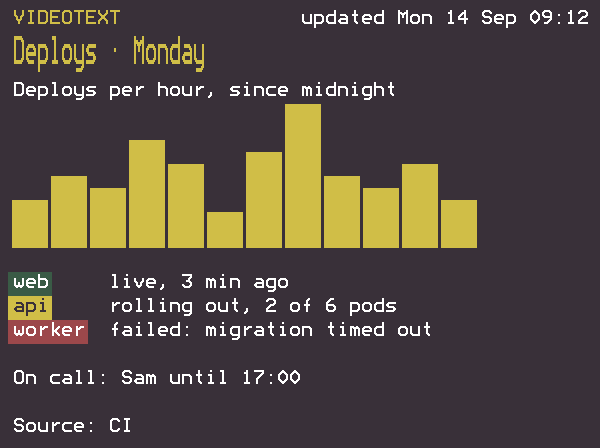
Videotext has none of that. Seven flat colours are the palette. Big letters on a fixed grid read from across the room and need no anti-aliasing. Block characters make charts and little pictures line up without blending. A format built around pages that sit still for a while is comfortable on a screen that can only change every half minute. The limits of 1984 and the limits of this panel are close enough that the old format fits the new screen with no adjustment.
I chose teletext because its limits are the panel’s limits. I like the look too.
A Wall for Anything
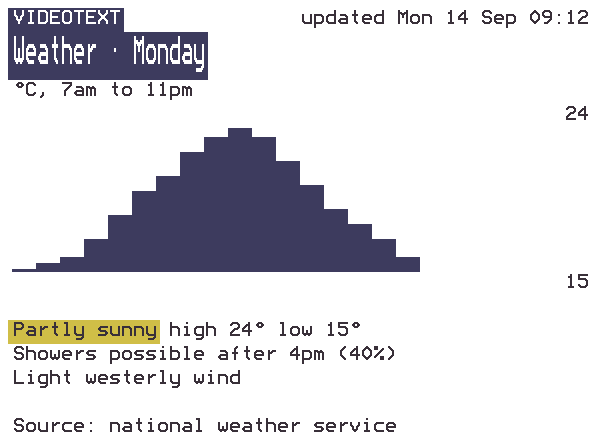
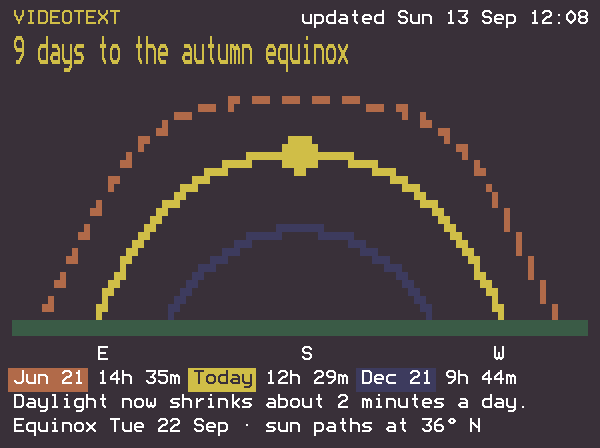
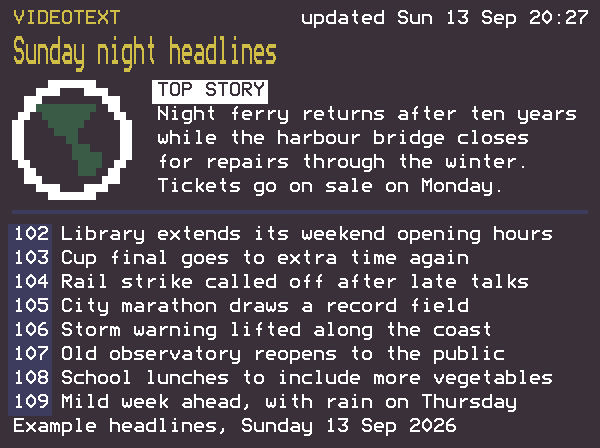
I started it to explore the hardware and the videotext idea. Since then it has shown, among other things, the weather, the headlines on a Sunday night, a countdown to the autumn equinox with the sun’s path drawn in block characters, a reminder, a notice for whoever comes home next, and a chart someone wanted to look at for a while. Anything that fits on a page of 50 by 18 characters can go up.
A page survives reboots and power cuts, and if several arrive during a refresh the board draws only the newest once it’s done. The wall can’t interrupt anyone.
A Standalone MCP Server
There is nothing to run on a computer. The board joins the WiFi and runs its own MCP server and HTTP API, so any agent on the network with the key can use it. One claude mcp add connects Claude Code, and other MCP clients or a curl from a laptop work the same way. Pressing the button on the side of the board puts the address, the key and that command on the wall.
The first version was a Node relay on a computer serving pages to a board that polled it. It worked, but it meant one more process to keep alive. The second version moved everything onto the board.
An agent learns the layout and markup rules from the MCP server when it connects, so it needs no other setup. Four tools: show a page, preview one, read what’s up, clear it. Every call returns a PNG of what the wall will draw, so an agent can check its work before committing to a 30-second refresh.
The format is easy for an agent to write. The title is one double-height line, the body is 14 rows, colour carries meaning (red needs a person, yellow is attention, green is fine, blue is information), and the sender chooses words rather than positions. Inside those limits an agent produces a readable page on the first try.
The Build
It’s firmware for the Soldered Inkplate 6COLOR, a 600 by 448 panel with an ESP32 behind it, drawn in the Bedstead font, which is built on the Mullard SAA5050 character set that drew the original pages. I wrote most of it with Claude Code in three days.
The firmware, the setup guide and a Claude Code skill that tells an agent when the wall is worth using are at github.com/kohlhofer/inkplate, MIT licensed. It’s a personal project, shared as it is for anyone with the same board. Back up your flash before you replace it; the README says how.
I’ve since done the same to a very different screen, a cheap four-colour photo frame that is now a ship’s console.
A page that changes slowly, in a format that only ever had room for what mattered, on a panel built for the same limits, is pleasant to have in the room. Form follows function, and how a thing makes you feel is part of the function.